Go Care: Streamlining Task Management for Field Technicians
Project Details
Project Nature
We followed an Agile delivery model with two-week sprints, where I contributed to sprint planning, backlog refinement, and regular design–dev syncs to ensure smooth handoffs and quick iterations based on feedback
Duration
1 Year and 10 Months
Tools
Figma, FigJam, Miro, Jira, Confluence, and internal documentation tools used for sprint planning and design handoff
My Role
Design Artefacts:
User Flows, Wireframes, Prototypes, Visual Design
Process and Activities:
User Research, Workshops, Design Critique Sessions, Cross Functional Team Collaborations
Team Collaboration
I worked alongside 1 project manager, a design manager, 2 frontend developers, 2 backend engineers, and 2 testers to bring the solution to life.
Where it all began..
Go Care is a task management and documentation platform built for field service technicians who handle multiple jobs and detailed findings every day. Their existing workflow relied on manual notes and scattered communication, often leading to delays and repeated work. Technicians needed a simpler way to log tasks and manage spare parts, while supervisors needed clearer visibility into on-site progress.
This project focused on creating a unified, reliable system that brings clarity to daily operations and helps technicians work more efficiently.

What I identified as the core challenges
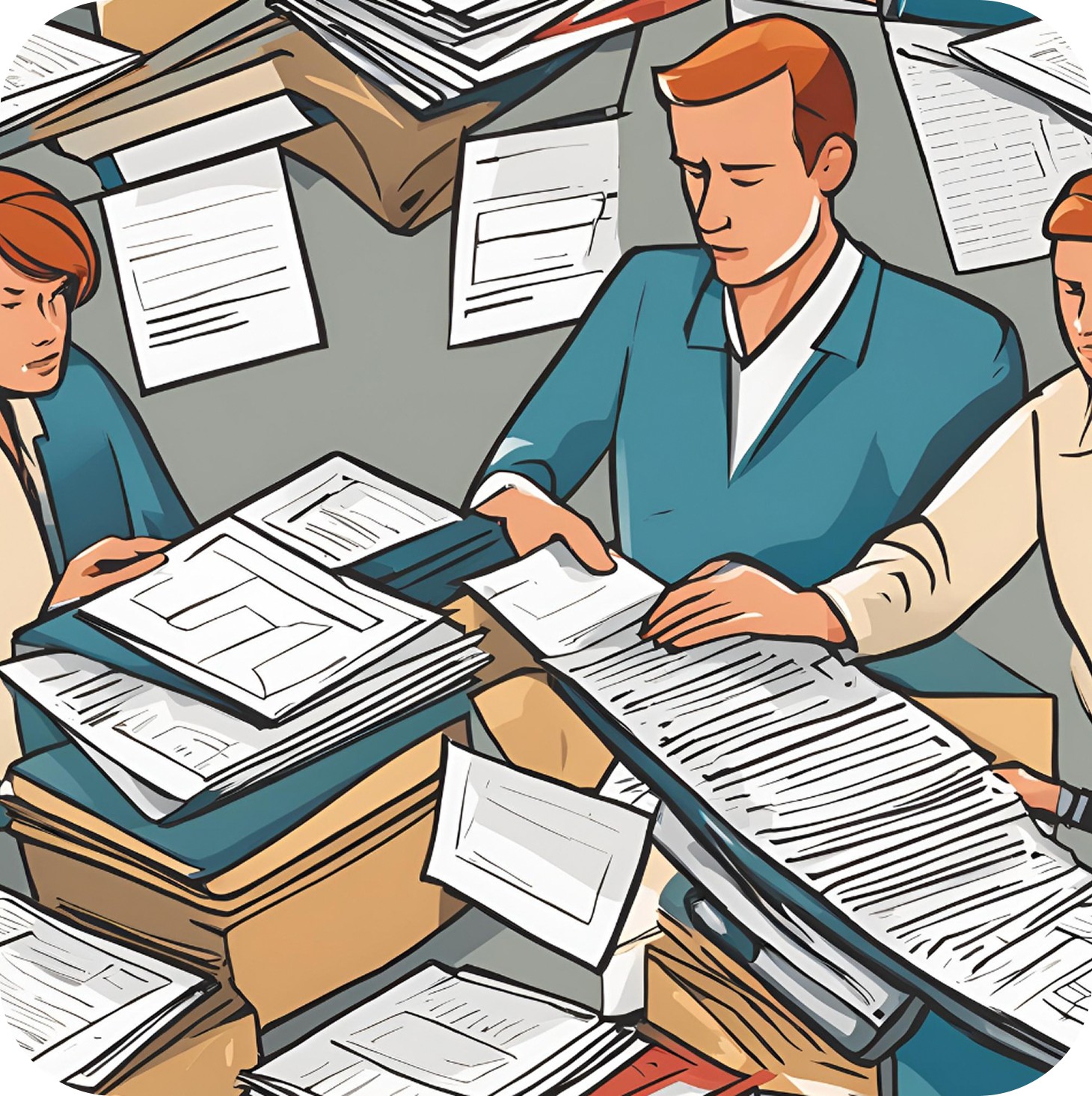
I analysed how the existing processes impacted field performance. My first step was to map where technicians were losing time and clarity.
Manual paperwork
Field technicians relied on manual paperwork for task details
Error-prone
This process was time-consuming, inefficient, and error-prone
Duplicate efforts
Led to delays, duplicate efforts, and frequent mistakes
Extra Workload
Created extra workload for technicians
How I approached the discovery phase
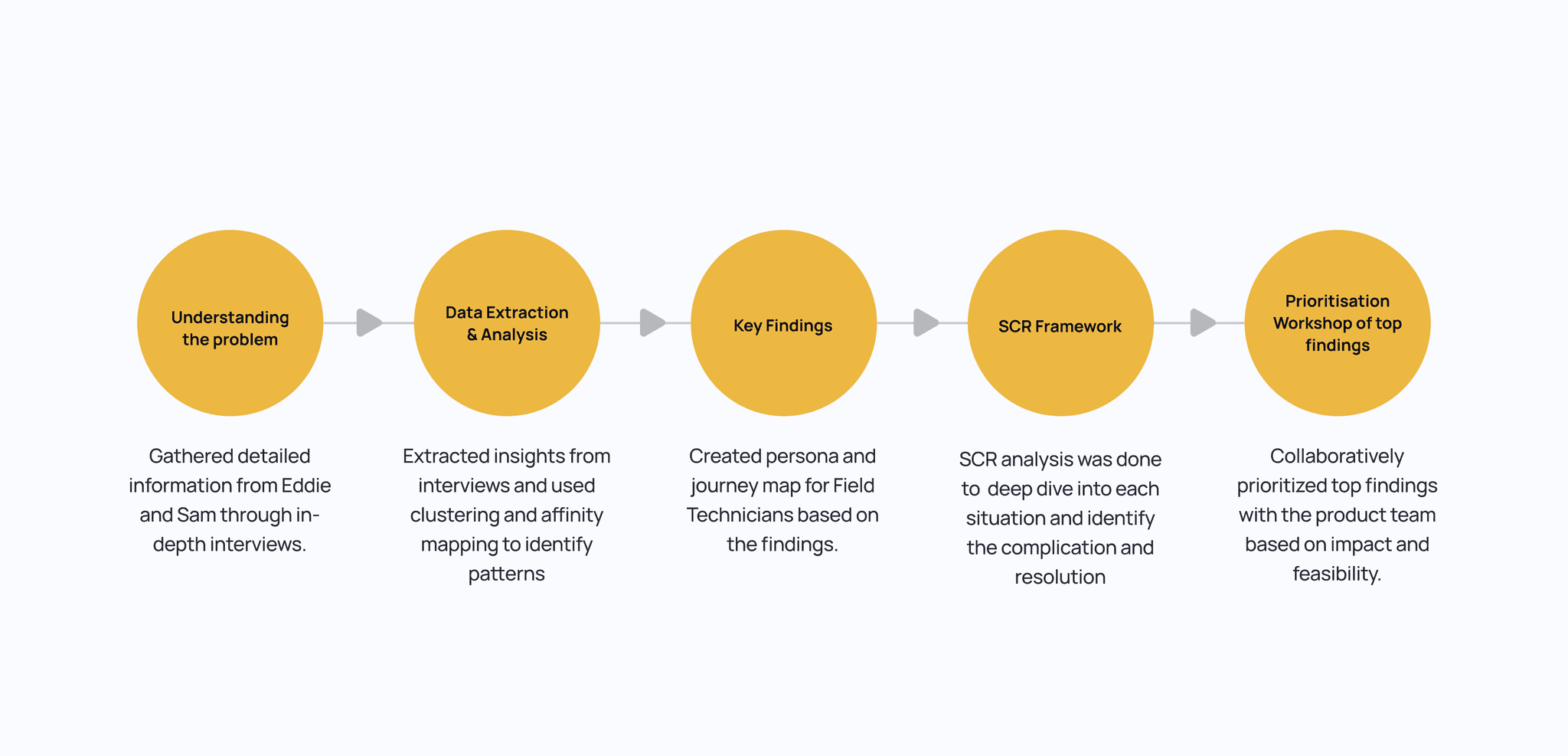
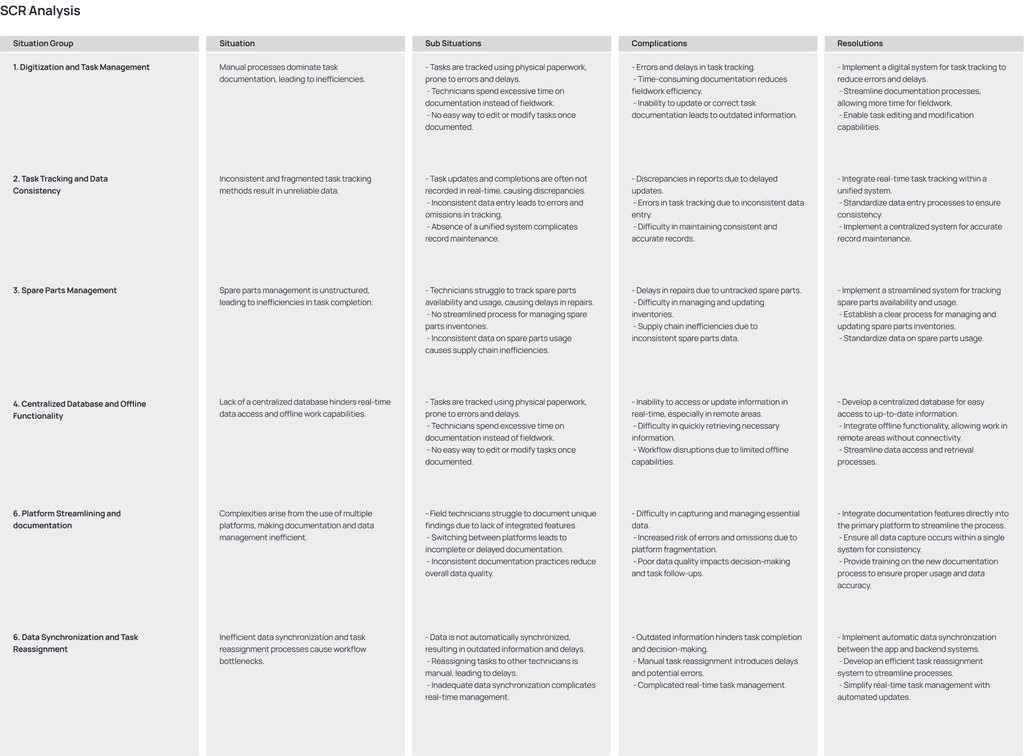
I began by speaking directly with field technicians to understand why their workdays felt so fragmented. Very quickly, it became clear that the real issues stemmed from inconsistent documentation, scattered communication, and limited visibility between technicians and supervisors. By mapping these patterns and analysing them through the SCR framework, I was able to surface the most critical breakdowns in their workflow. A prioritization session with the product team helped narrow the focus to three core needs: effortless documentation, clearer task visibility, and a reliable single source of truth. This foundation guided every design decision that followed.
With the problem space clearly defined, I moved into shaping the product direction. I worked with the product team to translate the top pain points into actionable user stories that reflected real on-site scenarios. From there, I explored multiple user flows to simplify how technicians documented tasks, accessed past work, and communicated with supervisors. These early flows went through several rounds of critique and review, helping me validate what reduced friction and what added unnecessary steps. Through this iterative process, the design gradually aligned with the core needs uncovered during research — making documentation effortless, improving visibility, and creating a reliable single source of truth. Once the concepts were refined, I finalized the designs and prepared them for handover.
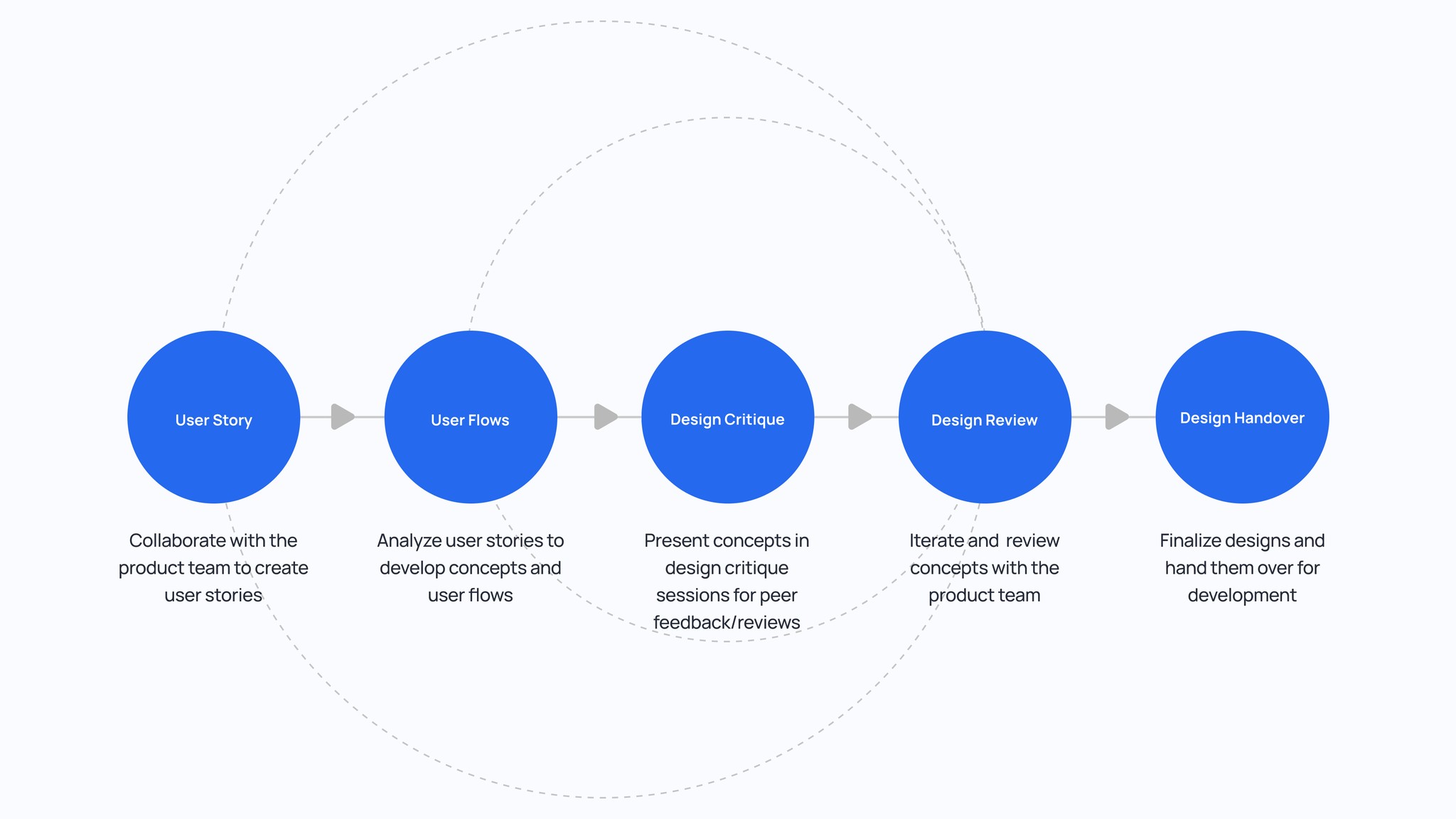
How I arrived at the final design direction
01
Understanding how work really happens on the ground
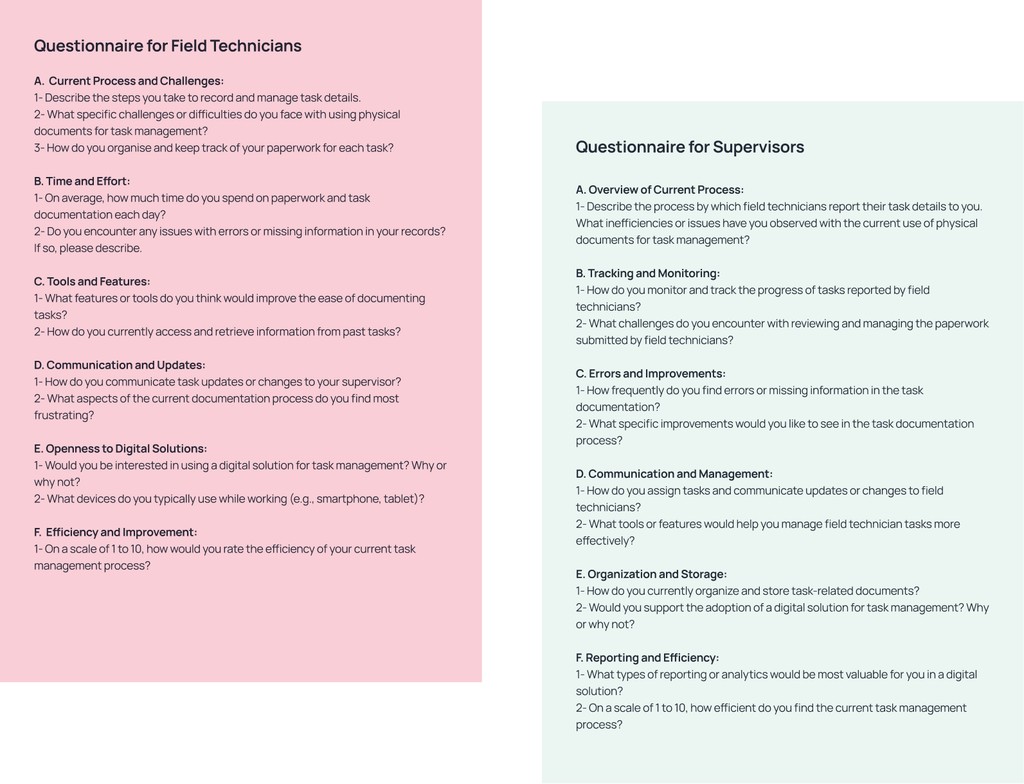
I started by interviewing both field technicians and supervisors to understand their real workflow, not just the documented one. These conversations uncovered several recurring themes — reliance on memory, scattered documentation, and constant back-and-forth communication. Hearing their stories helped me map the gaps between how work was supposed to happen and how it actually happened
Making sense of the patterns I uncovered
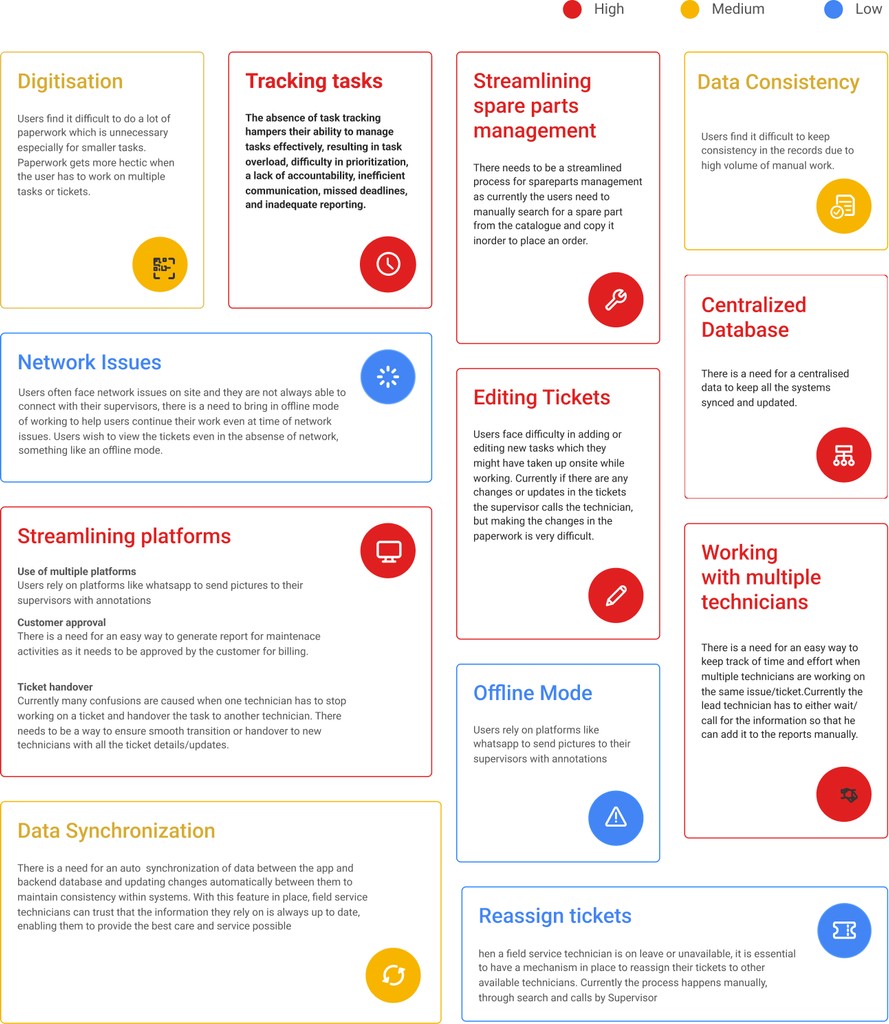
I used the SCR (Situation + Complication + Resolution) framework for a deeper analysis to derive the findings: Situation: Understanding the current context and facts as they stand today. Complication: Identifying the challenges and reasons that require action. Resolution: Defining the next steps or solutions to address the challenges
02
03
Mapping the experience to identify moments of friction
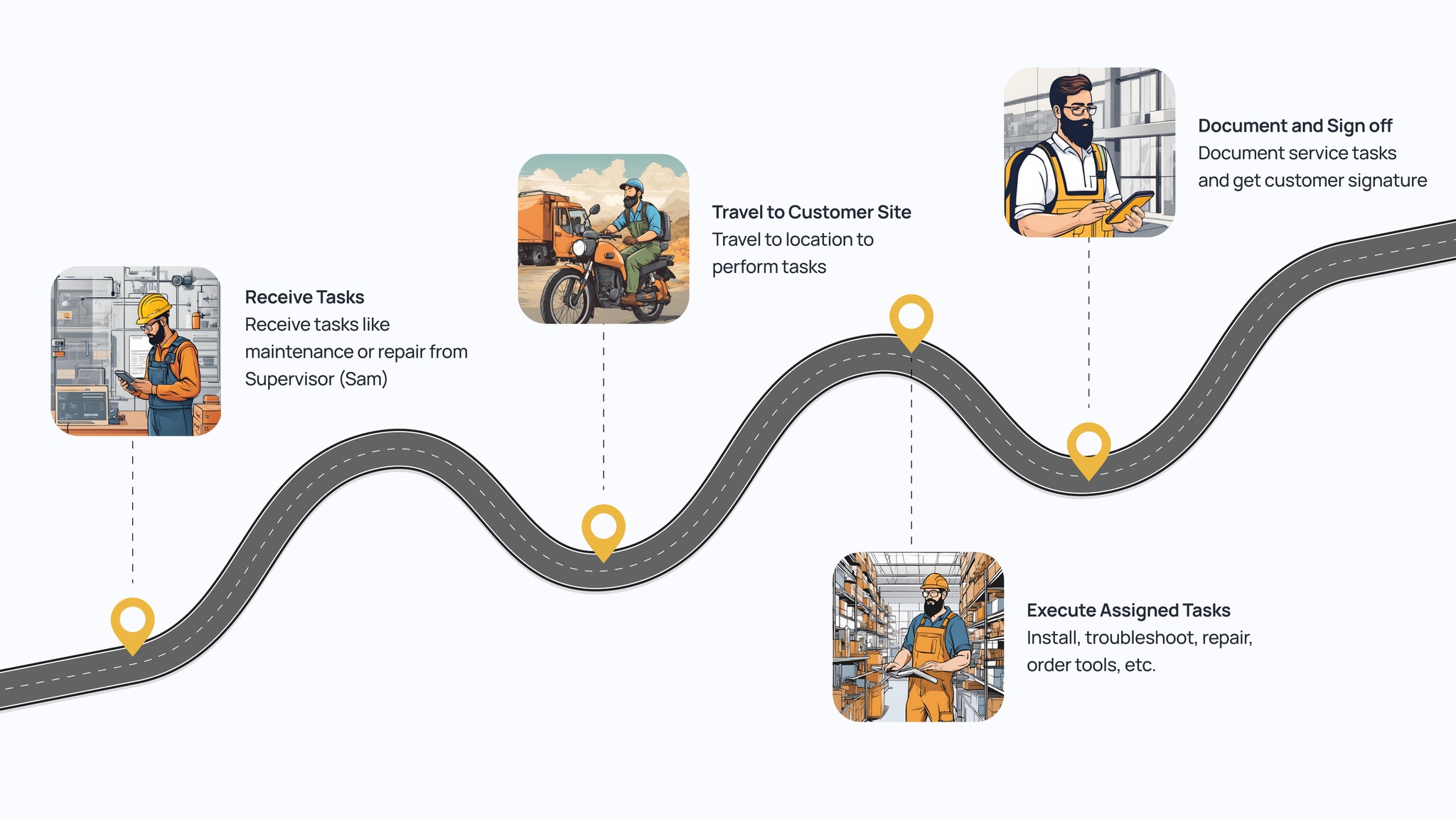
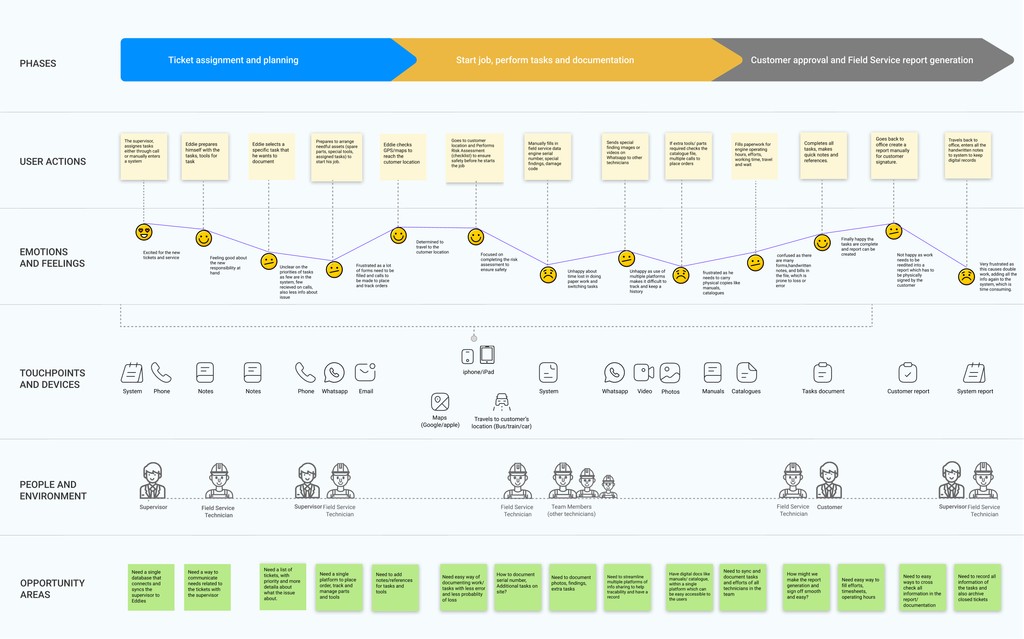
Using the SCR findings, I visualized the entire journey for both technicians and supervisors. This made it clear where time was being lost, where information broke down, and where users felt the most pressure. The journey map became a central artifact that aligned the team around the real priorities
Turning insights into focus areas
I created a structured research report that consolidated the key problems, needs, and frustrations. During a prioritization workshop, we ranked each finding by impact and feasibility. This helped us narrow the focus to the essentials: Make documentation effortless Improve visibility for supervisors Reduce duplicated work and miscommunication Create a unified, reliable source of truth
04
05
Laying the foundation: organizing the product’s structure
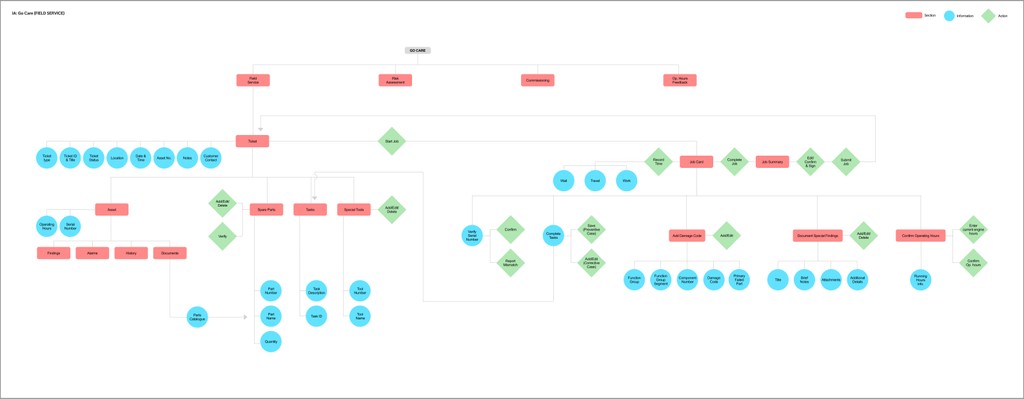
After identifying the core pain points, I moved into structuring the information architecture. My goal was to reduce the cognitive load for technicians and make critical tasks easy to find and complete. I reorganized key modules such as task logging, service history, spare parts, and supervisor communication into a streamlined hierarchy that aligned directly with their real workflow. This helped ensure that the system felt intuitive from the first interaction and minimized the back-and-forth that technicians struggled with earlier
Turning user stories into actionable flows
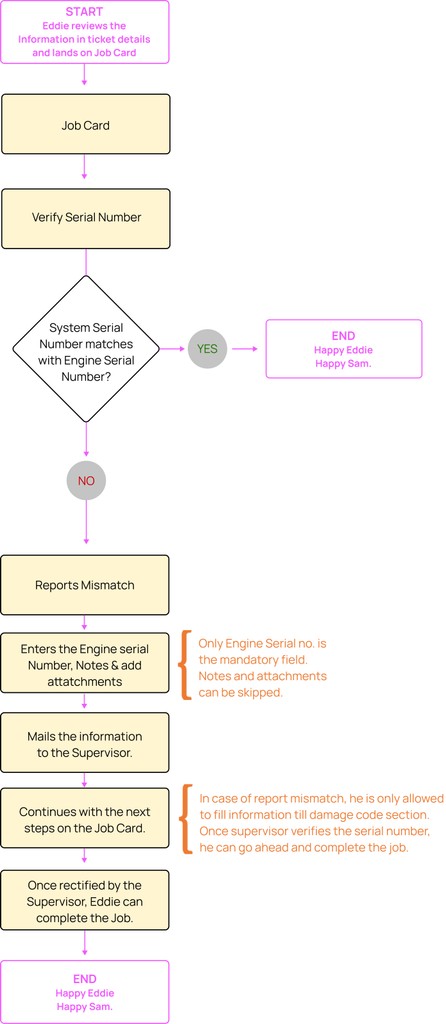
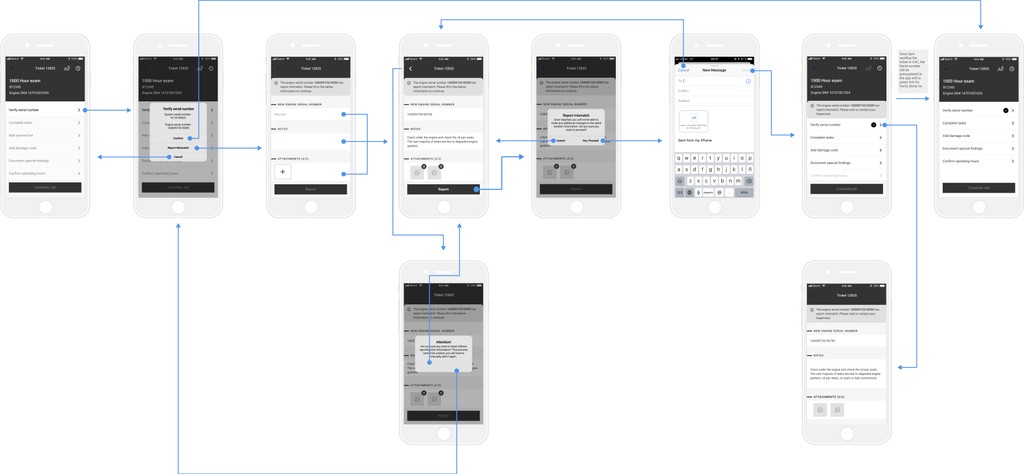
Using the prioritized user stories as a foundation, I created detailed user flows for key tasks such as creating a job card, verifying serial numbers, documenting issues, and updating task progress. Each flow focused on reducing steps, preventing repeated data entry, and offering clear status visibility. By mapping the flows end-to-end, I ensured that both technicians and supervisors could complete their tasks without confusion, unnecessary actions, or bottlenecks that existed in the earlier process.
06
07
Exploring early wireframes to validate the direction
Once the flows were defined, I moved into wireframing to explore how the interactions would look and feel. I focused on clarity, ease of documentation, and reducing the number of steps needed to complete key actions. These wireframes acted as a quick, lightweight way to validate the structure before moving into high-fidelity designs. They also helped the team align early, ensuring we were making the right trade-offs before investing in visual detail.
Reimagining task management for the field
A simplified, intuitive workflow designed around real technician needs.
Key features of the solution
Capabilities built to simplify workflows, reduce manual effort, and enhance coordination.
Clear Task Overview
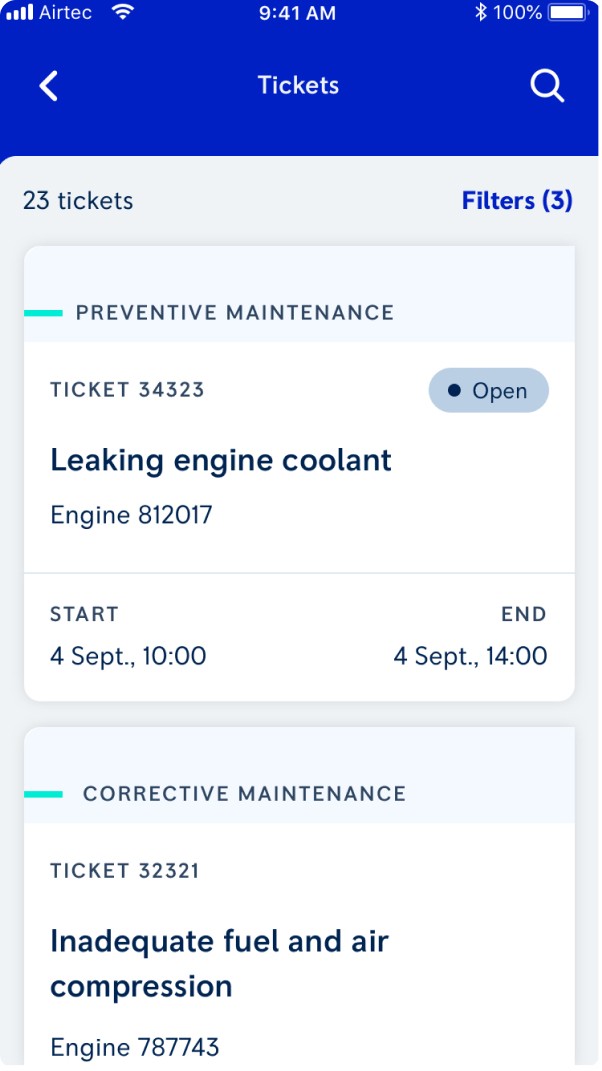
A structured dashboard that shows all upcoming, ongoing, and completed tasks, helping technicians plan their day efficiently
Step-by-step task guidance
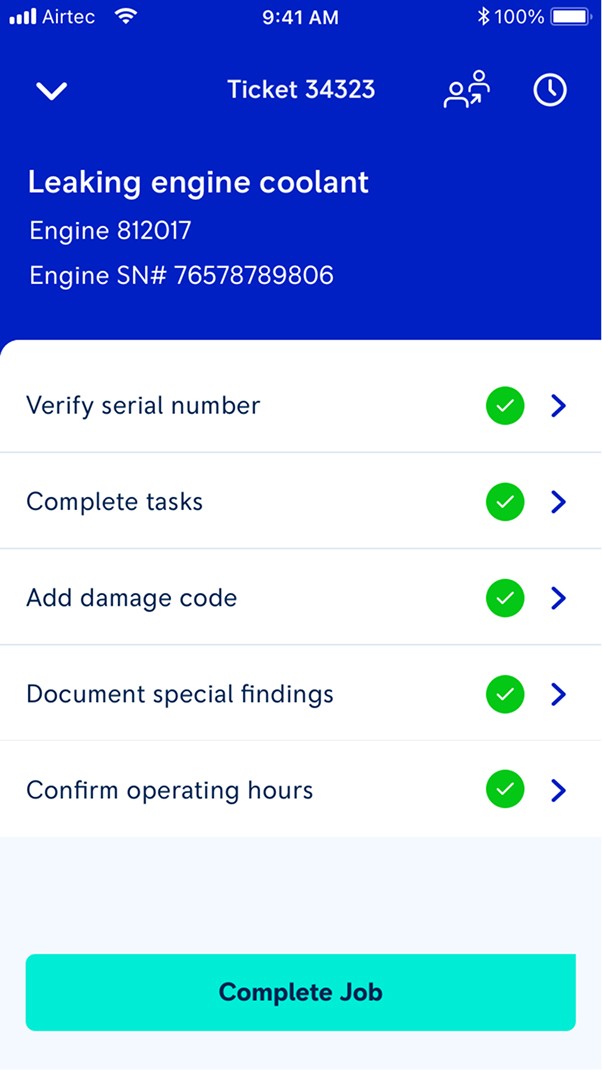
Each job card includes a guided checklist and required actions, reducing errors and ensuring consistency across different technicians.
Real-Time Supervisor Visibility
Supervisors get instant updates on progress and issues, reducing follow-up calls and improving coordination.
Centralized Service History
All past tasks, findings, and parts used are stored in one place, enabling quick reference during recurring jobs.
Quick Documentation
Technicians can record findings, attach photos, scan serial numbers, and update status—all within seconds.
Unified Workflow
By integrating documentation, communication, and approvals, the design eliminates fragmentation and brings all work into a single flow.
Feature highlights
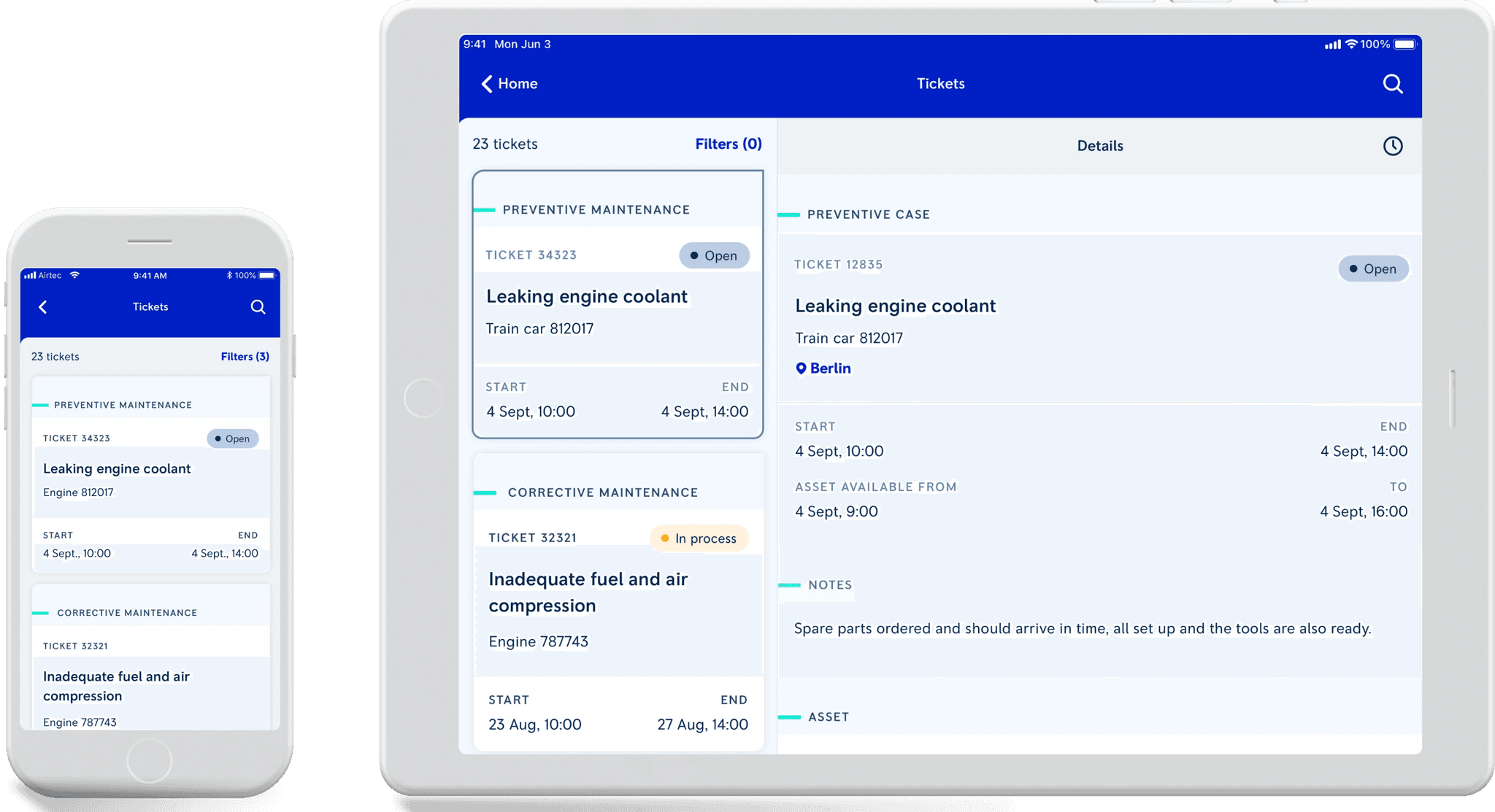
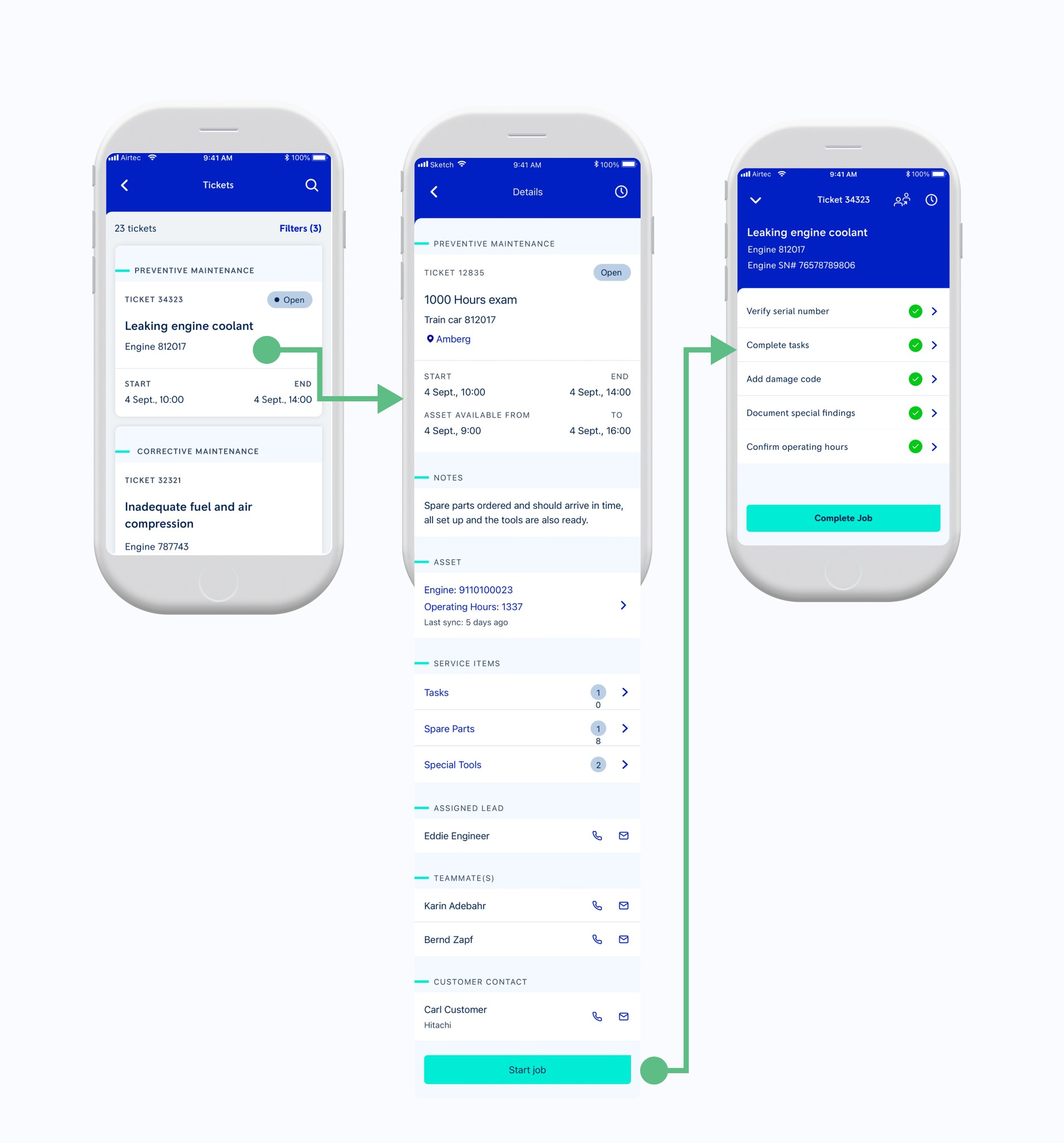
Ticket Overview: The experience begins with a clear, organized ticket list that helps technicians quickly understand their workload for the day, replacing the scattered notes and messages they previously relied on.
Job Details: Selecting a task opens a detailed view that brings together everything they need—maintenance history, service items, assigned team members, and supervisor notes—so they can start work without chasing clarifications.
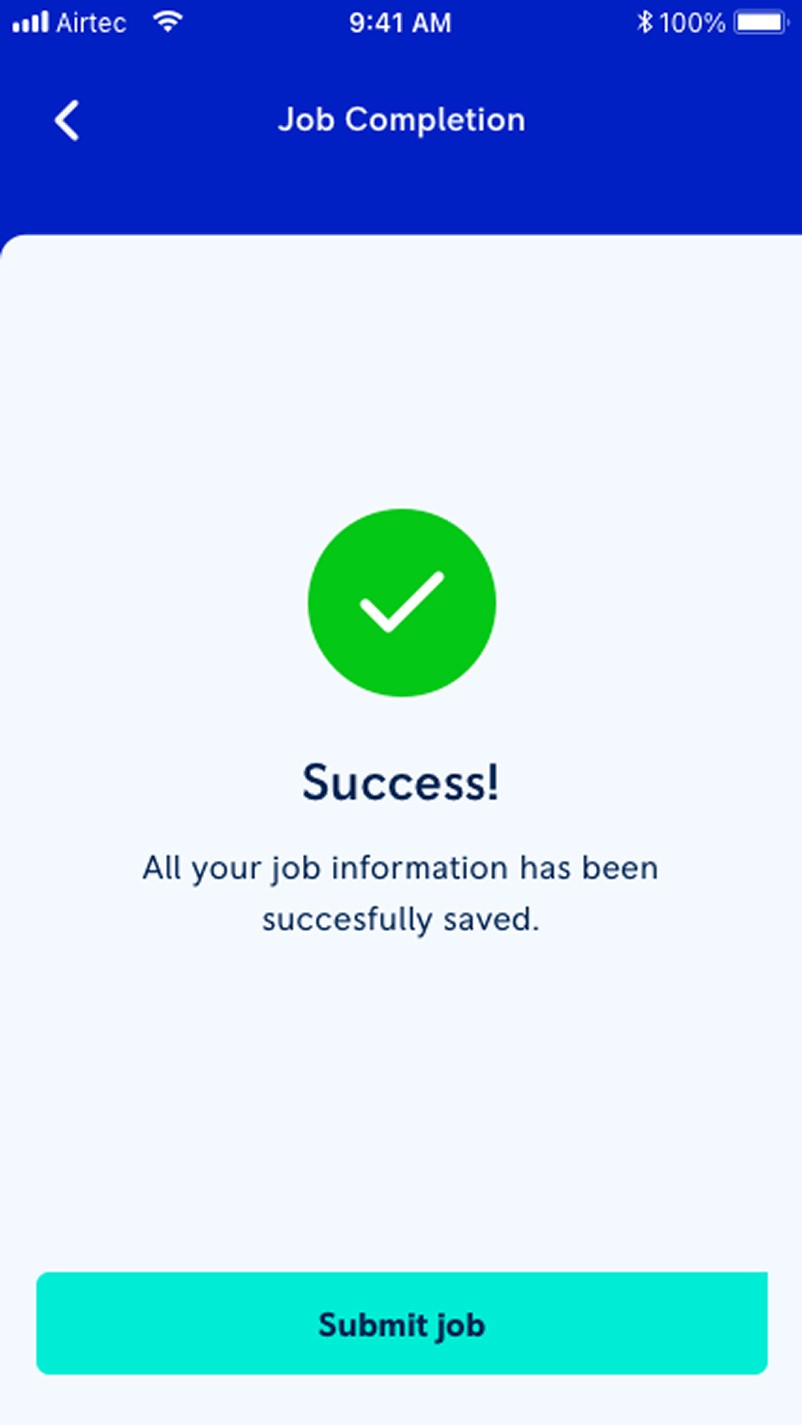
Guided Checklist: Once the job begins, the interface transitions into a simple, step-by-step checklist that mirrors their real workflow, making it easy to complete required actions, document findings accurately, and avoid common errors.
1
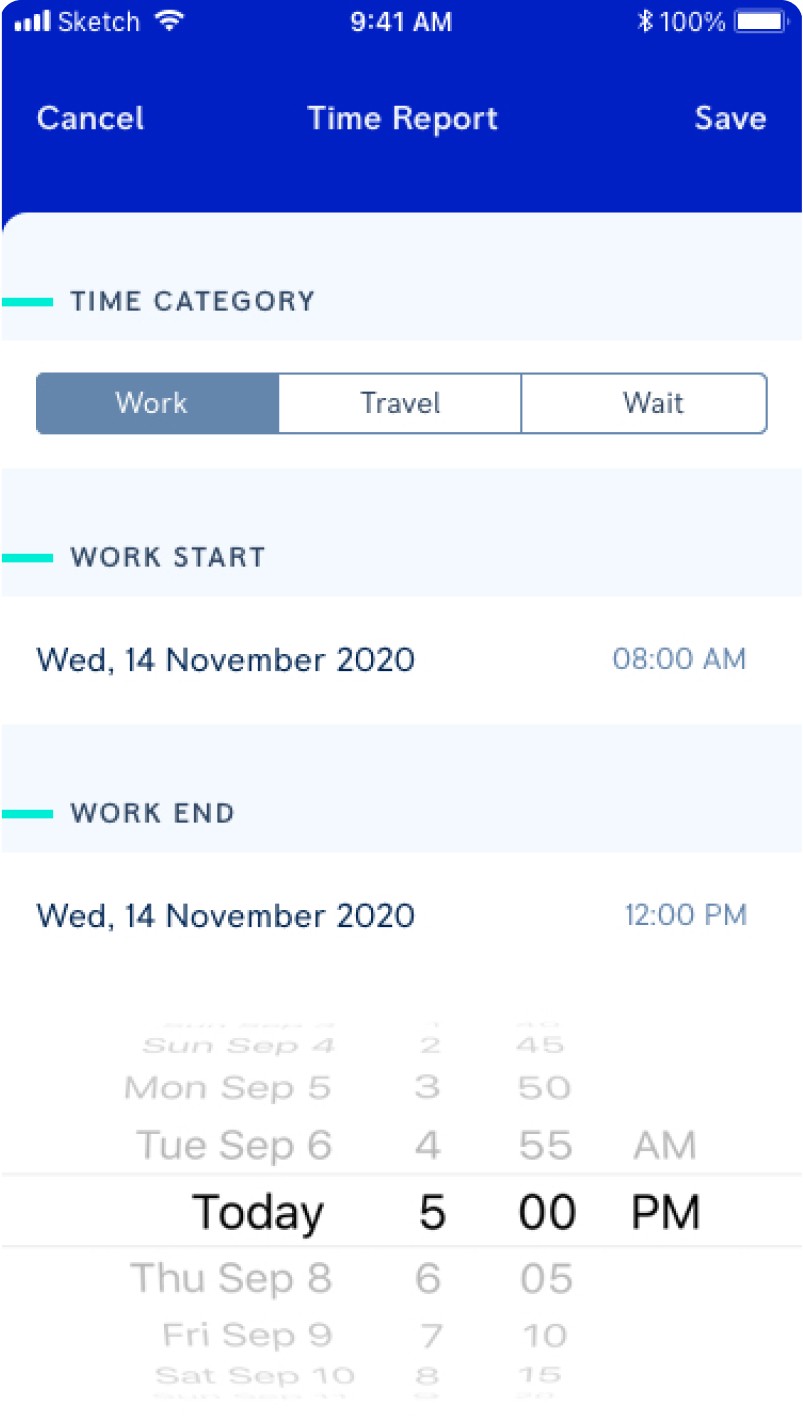
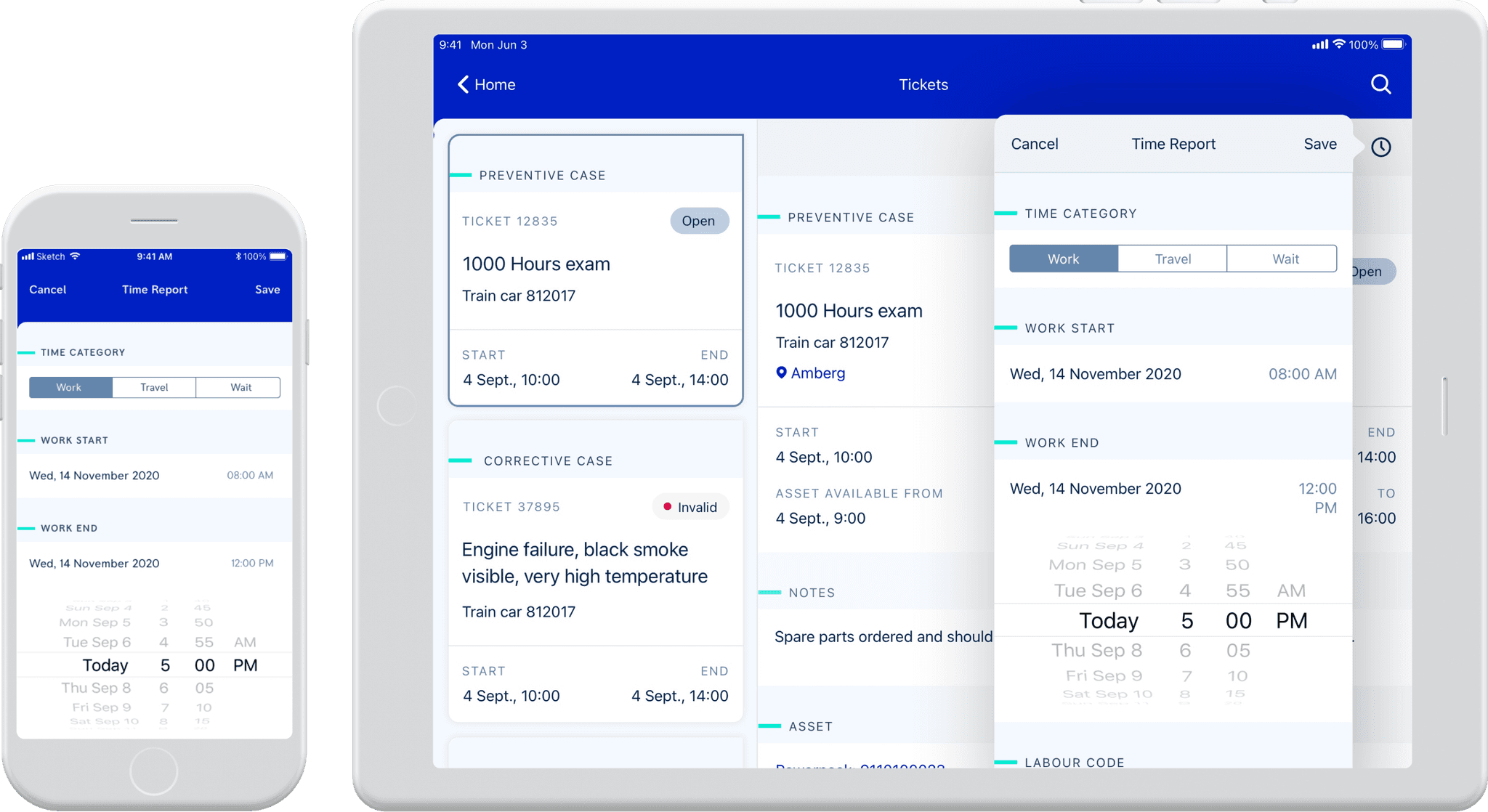
Technicians can record their daily work, travel, and idle hours through a simple digital interface, replacing manual paperwork and reducing the chances of inaccurate entries.
2
A clean, touch-friendly layout allows technicians to select time categories, adjust start and end times, and submit reports in just a few taps, saving effort during a busy day on-site.
3
All time entries sync instantly, giving supervisors a clear view of technician activity and reducing follow-ups or discrepancies in reporting.
1
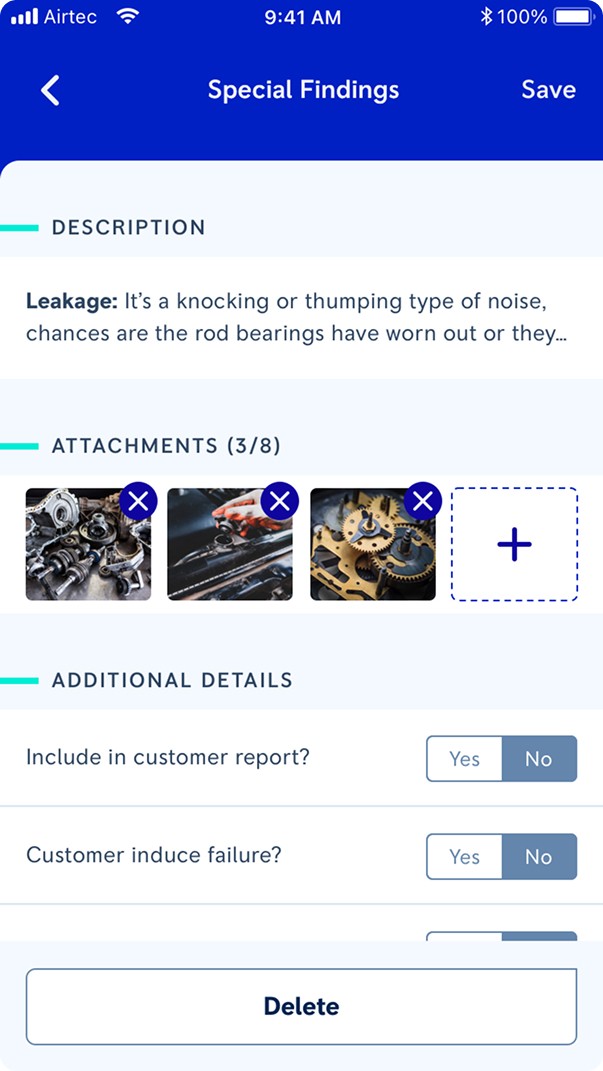
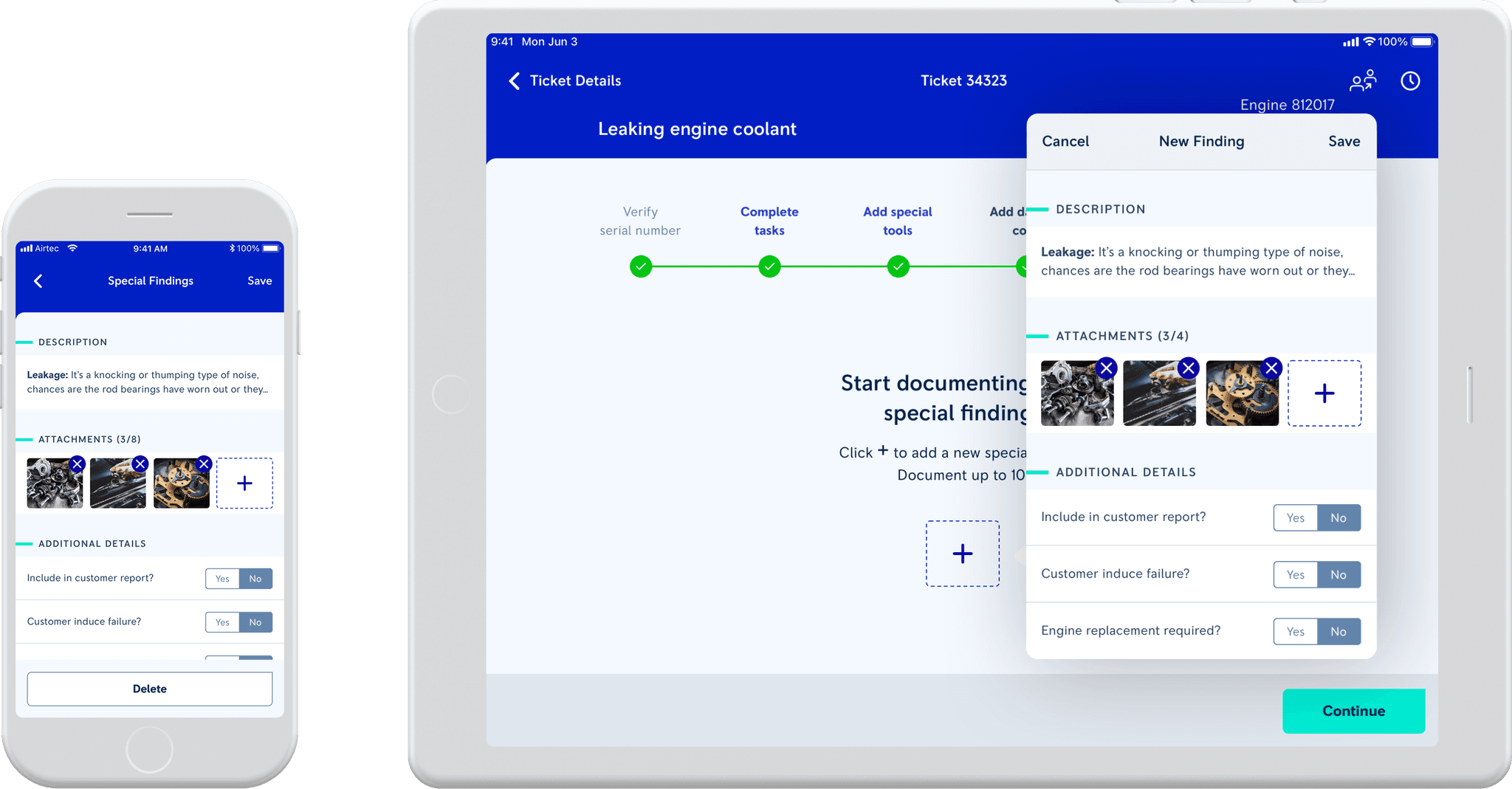
Technicians can record detailed observations directly on-site, including notes, photos, and additional details, eliminating the need for handwritten reports or follow-up clarifications.
2
The structured input fields ensure that important information—like severity, cause, and required actions—is consistently documented across all technicians, reducing errors and ambiguity.
3
With findings captured in a unified digital format, supervisors can review issues quickly, understand context at a glance, and make informed decisions without back-and-forth communication.
1
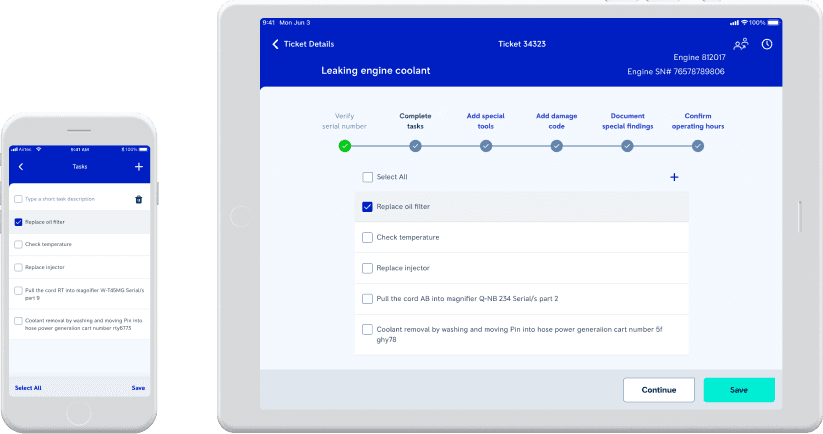
If a technician identifies additional work that wasn’t included in the original job card, they can quickly add new tasks from within the same workflow without disrupting their process.
2
Every added task follows the same structured format as assigned tasks, helping maintain complete, reliable records for future reference and preventing work from being forgotten or undocumented.
3
Newly added tasks automatically sync to the supervisor’s view, ensuring they understand what was done on-site and can make informed decisions without repeated calls or clarifications.
Learnings
Prioritisation matters: Using a voting process to prioritize findings helped me focus on the most critical issues first, ensuring my design efforts were aligned with user & business needs.
Data-driven design: Relying on detailed, data-driven insights from the SCR analysis ensured that the design was relevant to the actual pain points.
Clear documentation: Organised documentation of findings is crucial for guiding design decisions and maintaining focus throughout the project.